Run your work from Claude
Zephyro connects to Claude as an MCP connector. You ask in plain language; Claude does it in your workspace.
Start freeWhat it is
MCP is the protocol Claude uses to reach tools outside itself. Zephyro speaks it, so Claude can read and change your work without anyone copying anything between two windows.
Thirty-nine tools
Tasks, epics, sprints, statuses, custom fields, workspaces, members and comments — create, read, update, move, archive. The same operations the interface offers, because they are the same code underneath. A change that needs an owner's or admin's approval is not made: the agent gets APPROVAL_PENDING with a request number, and get_approval checks what became of it. With report_usage an agent reports the tokens it spent on a task, and the task shows them. And task descriptions and comments returned to the agent are marked as data, not instructions.
It signs in as you
The connection is authorised through your own account with OAuth. The agent sees only the workspaces you chose, and in none of them can it do more than you can: a viewer's connector cannot write, because the viewer cannot.
Every action is signed
A change made by the agent is recorded as the agent's, with the person it acted for. The history distinguishes a human, an agent and the system — so an automated edit never passes for one somebody made by hand.
What it cannot do
It cannot reach a workspace you did not choose for it or one your account cannot, cannot outlive the connection, and holds nothing after you disconnect it. Revoking access in your account settings ends it immediately.
Connecting it
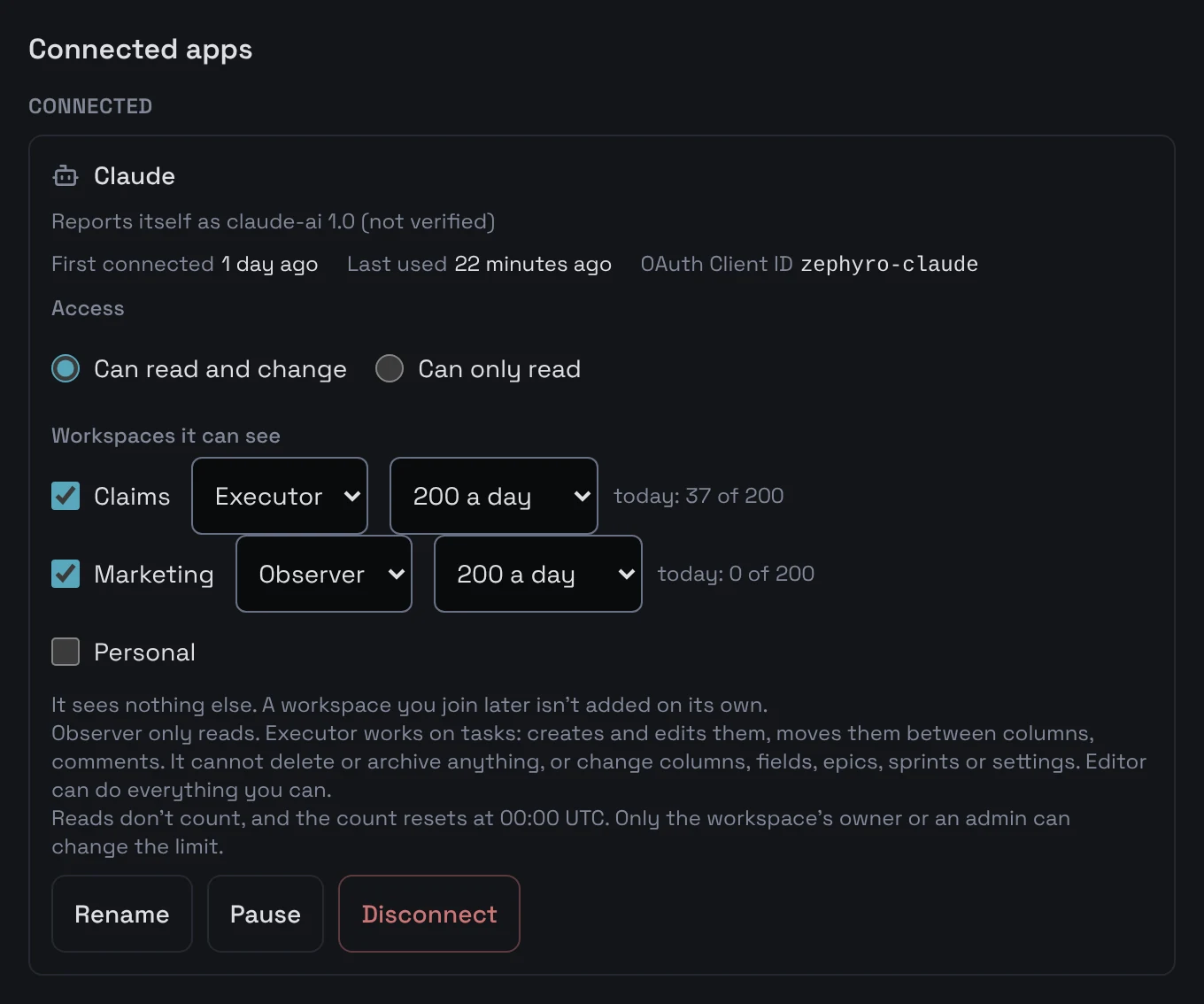
Add Zephyro as a connector in Claude and sign in with the account you already use. The connection starts with the workspace where you pressed Connect Claude, if you connect within the hour; otherwise with your only one, or with none if you have several. Choose others, or take one away, in Connected apps, where you can also set its access to Can only read. It takes about a minute and needs nothing installed.
Agent roles
The agent sees only the workspaces you chose. In each one it has one of three roles, and whatever the role, it never does more than you can do there yourself.
| Role | May | May not |
|---|---|---|
| Observer | MayRead tasks, boards, sprints, epics, members and history. | May notChange anything. |
| Executor | MayCreate and update tasks, move them between columns, assign them, comment, and add them to sprints or take them out. | May notDelete or archive anything, or change columns, fields, epics, sprints or the workspace itself. |
| Editor | MayEverything its tools allow that you may do there. | May notAnything you may not. |
A workspace you give the agent starts as Executor; one the agent creates itself, as Editor. You change the role in Connected apps.
A daily limit on changes
In each workspace a connection may make 200 changes a day. Only an owner or admin of that workspace can change this, for their own connection, in Connected apps. Reads never count, and the count starts again at 00:00 UTC. Past the limit every change is refused until then, and the workspace's history shows that the agent stopped.
The Pause button
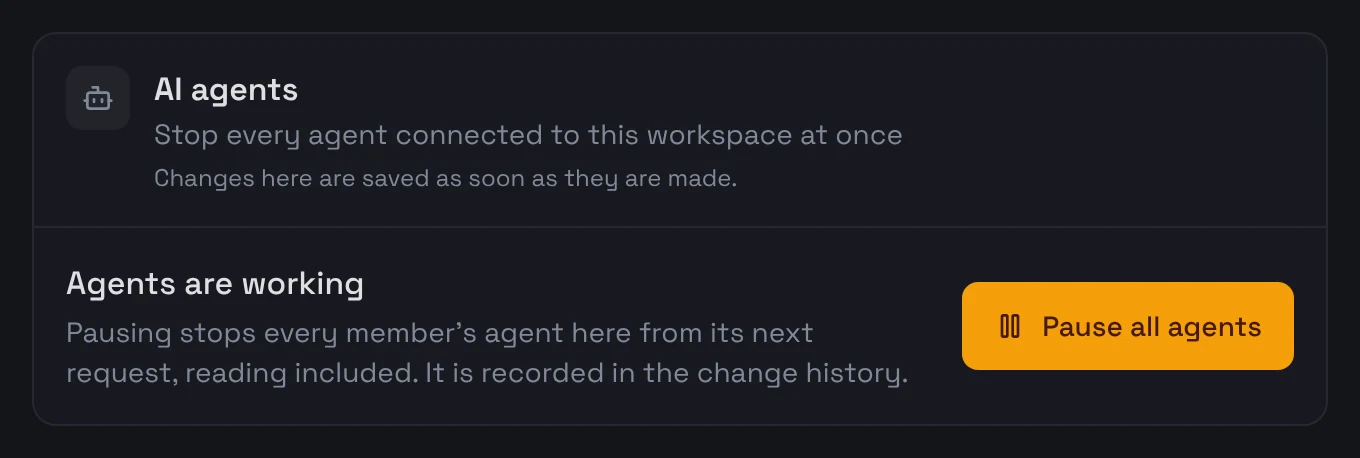
Pause in Connected apps stops a connection from its next call: every tool refuses, reads included, until you resume it, and it stays signed in. A workspace's owner or an admin can pause every agent in it with one button in its settings.
Claude Code in two minutes
For people who work in a terminal. You need Claude Code and a Zephyro account; nothing else is installed.
- In Zephyro, press Connect Claude and open the Claude Code tab. Copy the command shown there: it is made for this server.
- Run it once in a terminal. Zephyro is then in Claude Code in every project.
- In Claude Code, run /mcp, choose zephyro and sign in with your Zephyro account in the browser that opens.
- To let Claude only read, open Connected apps in your account and set its access to Can only read. Disconnect there ends it at once.
The command looks like this:
claude mcp add --transport http --scope user zephyro https://api.zephyro.io/mcpThen ask, for example:
- Sort out my tasks for today in Zephyro.
- Create an epic with tasks from this plan.
- What did agents change in Zephyro yesterday?